What Is Creo EMX? Automated Moldbase Design in PTC Creo
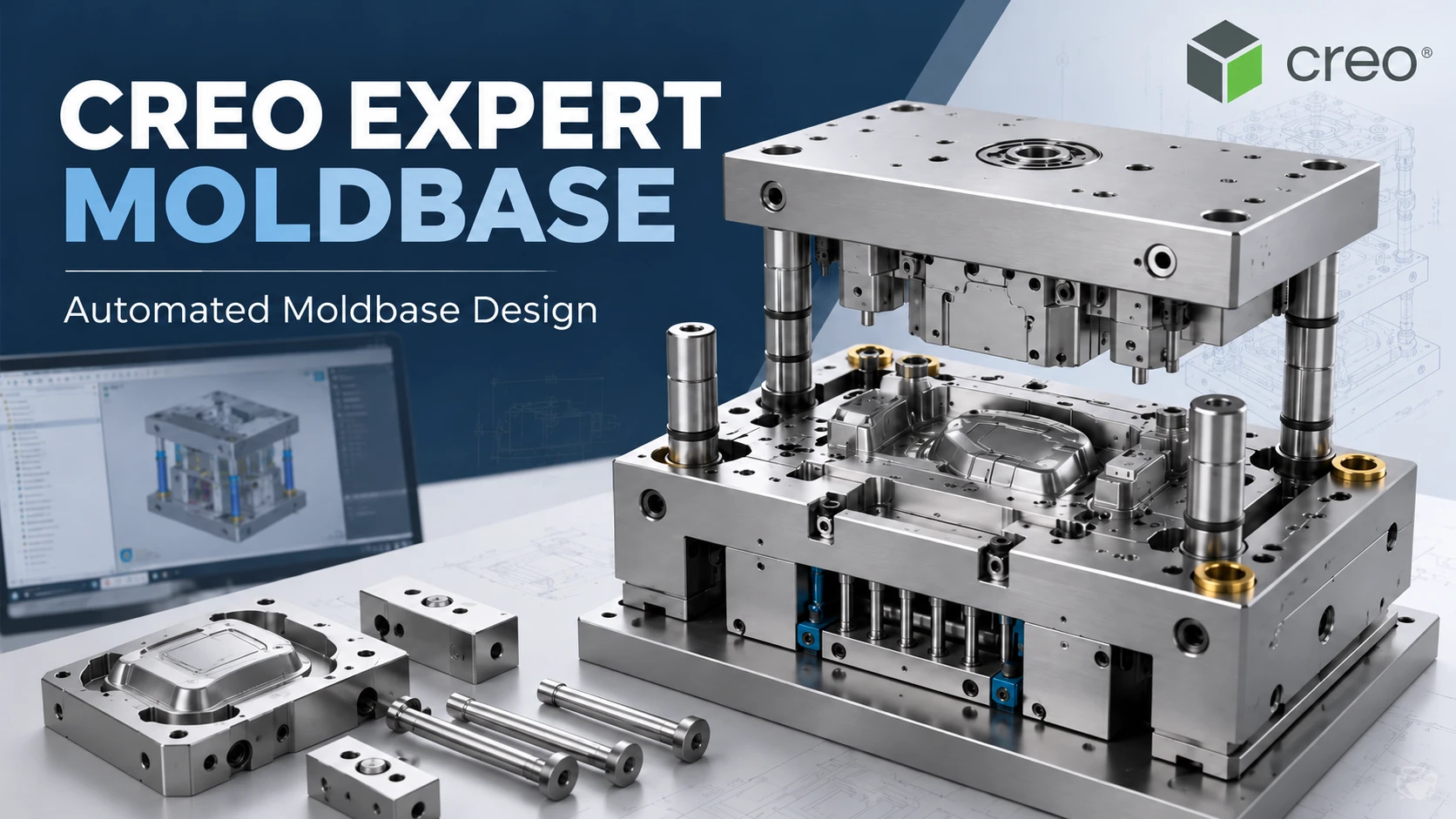
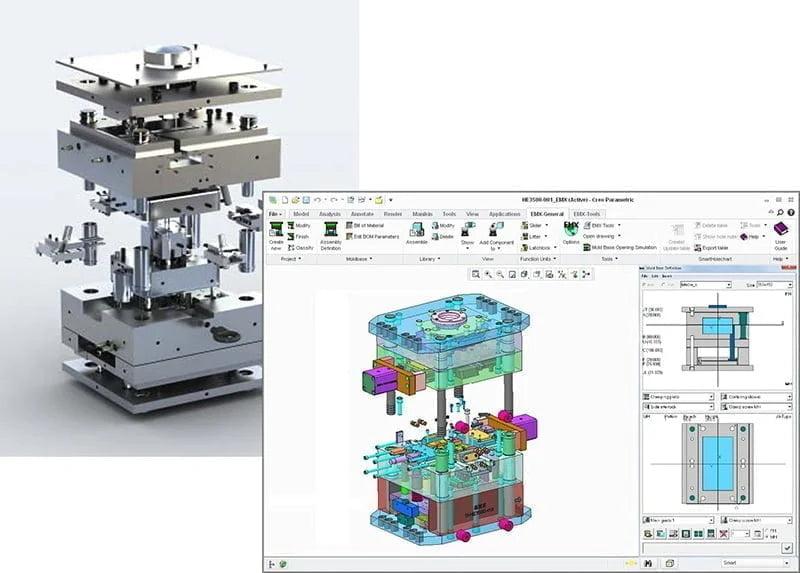
Creo Expert Moldbase Extension (EMX) is a specialized PTC Creo extension that streamlines the design and detailing of injection mold base assemblies. It combines a process-driven 2D interface with automatic 3D moldbase generation, intelligent standard component libraries and tools for placing ejector pins, guide components, fasteners and cooling elements. EMX also supports associated holes, interference checking, mold opening sequences and manufacturing documentation.
For tooling engineers, EMX addresses the repetitive mechanical work involved in transforming core and cavity inserts into a complete mold assembly. Instead of manually creating every standard part and related feature, engineering teams can apply reusable component libraries and dedicated moldbase workflows within Creo Parametric. The objective is to improve design consistency and reduce avoidable manual detailing, while preserving engineering control over the final tooling configuration.

What Is Creo Expert Moldbase Extension?
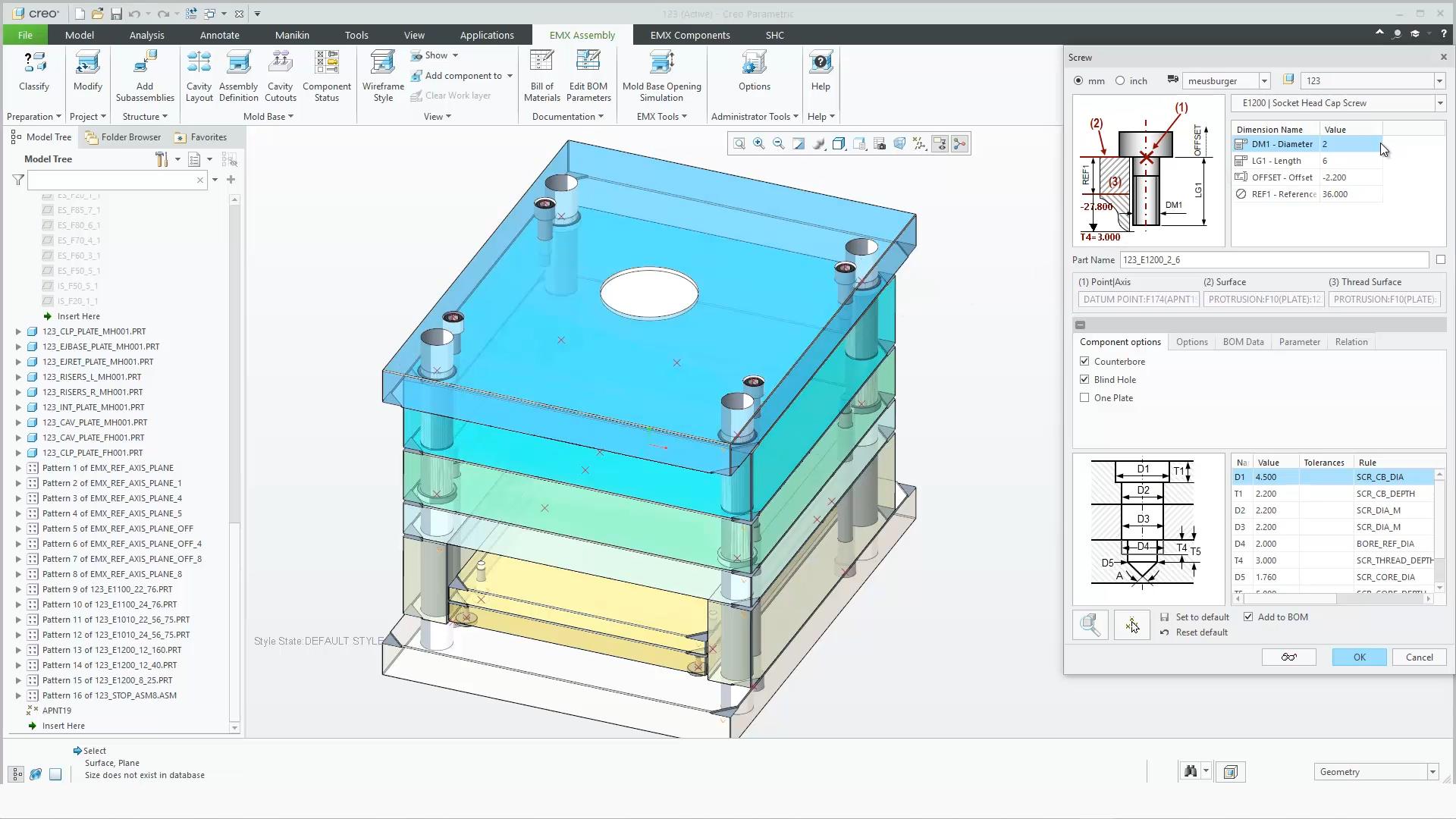
Creo EMX is a mold tooling design extension that automates numerous repetitive operations associated with mold base assemblies. It works within the Creo environment and supports dedicated workflows for mold plates, standard components, mechanical features and documentation.
In a typical injection mold project, product geometry and core/cavity inserts are only part of the overall design. Engineers must also develop the mechanical moldbase structure, including plates, guide elements, ejector systems, screws, cooling components and various supporting mechanisms.
EMX simplifies this stage using intelligent component libraries, project-oriented tools and associative 3D assembly data. For an overview of the complete tooling process, see What Is Creo Mold Design?.
What Can Creo EMX Automate?
1. 2D-Driven Moldbase Layout and 3D Generation
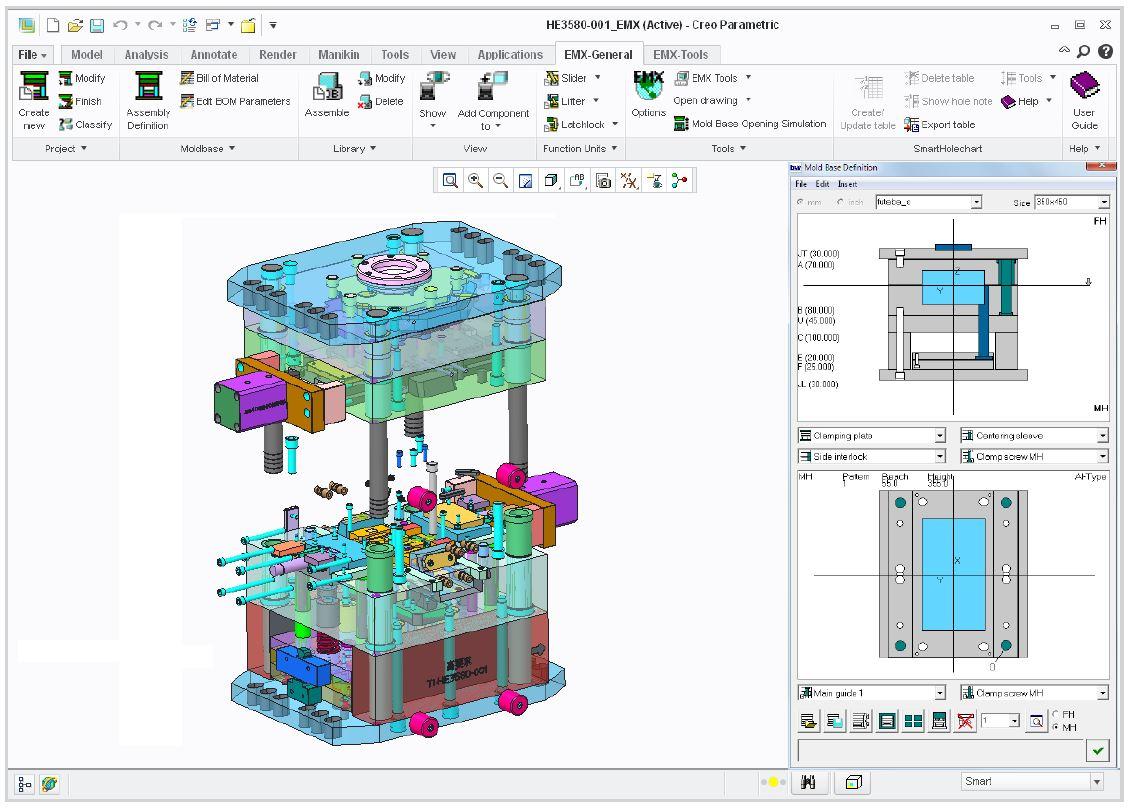
EMX provides a process-driven 2D interface for defining moldbase structures while creating and updating 3D assembly models. Engineers can organize the plate stack, configure components and review the mechanical layout through a specialized tooling workflow.
This approach is useful for organizations transitioning from conventional mold layout practices to fully associative 3D design.
2. Standard Mold Component Libraries
PTC describes intelligent libraries from more than 17 component suppliers. Depending on the installed libraries and configuration, users can select standard parts such as mold plates, guide pins, bushings, ejector pins, screws, dowel pins, support pillars and cooling fittings.
Customized component libraries can also help companies apply internal design standards. Supplier catalog information and actual component part numbers must be validated before procurement and manufacturing.
3. Ejector Pin and Guide Component Placement
EMX supports dedicated placement functions for ejector pins and guidance components. These operations can reduce manual assembly tasks, particularly when mold designs contain numerous repeated parts.
Engineers remain responsible for verifying ejection locations, pin dimensions, mechanical clearance and appropriate component selection.
4. Automated Holes and Mechanical Features
When standard components are placed, adjacent mold plates may require clearance holes, drilled holes, tapped features or counterbores. EMX supports automatic creation of applicable features based on the selected components and library definitions.
This capability helps maintain relationships between component placement and the geometry required for assembly.

5. Cooling Circuit Design
EMX offers tools for developing waterlines, cooling fittings and related mold cooling geometry. Engineers can assess component locations within the overall moldbase assembly and review potential conflicts with ejector pins, screws and insert geometry.
Cooling circuit layout should not be confused with thermal or injection molding simulation. Cooling performance and process conditions require separate engineering analysis where applicable.
6. Mold Opening and Interference Checking
PTC documents automated interference checking and mold opening sequence capabilities in EMX. These functions support the evaluation of potential mechanical conflicts within the configured assembly and motion sequence.
CAD-based checks do not eliminate the need for tolerance review, mechanical validation or physical mold trials.
7. Drawings and Bill of Materials
EMX supports automatic generation of associated moldbase drawings and BOM information. This helps engineering teams prepare manufacturing deliverables from an integrated assembly model.
Before release, drawings and BOMs should be checked against the actual components, materials, manufacturing requirements and company documentation standards.
Step-by-Step Creo EMX Moldbase Design Workflow
The following workflow reflects the principal EMX process described in PTC documentation. Exact command labels and available options depend on the installed version and environment.
Step 1: Prepare the Cavity Insert Assembly
Begin with an existing cavity insert assembly. Classify relevant components and establish any required reference geometry, including trim references for selected ejector or lifter operations.
Step 2: Create a New EMX Project
Create a moldbase project and define the required project information. The EMX workflow uses an assembly structure as the basis for moldbase design.
Step 3: Define the Assembly Structure
Organize the project into appropriate subassemblies. A consistent structure helps with component management, design review and manufacturing documentation.
Step 4: Set the Cavity Layout and Moldbase Definition
Define cavity placement and configure the moldbase using dedicated tools. Select the required mold plates, guide elements and primary equipment according to the planned tooling concept.
Step 5: Insert Standard Components
Add screws, guide components, ejector pins, support pillars and other mechanical components. Review previews, placement orientation and dimensional properties before finalizing the assembly.
Step 6: Develop the Cooling System
Define cooling channels and related fittings as required by the mold design. Check their relationship to the mold plates, insert geometry and other mechanical systems.
Step 7: Review the Assembly
Perform appropriate component status, interference and mold opening checks. Investigate potential conflicts and update the design before releasing manufacturing documentation.
Step 8: Generate Manufacturing Deliverables
Prepare drawings, BOMs and other required design data. Depending on the engineering environment, additional outputs may include hole charts, PMI and production-specific documentation.

Creo EMX vs Creo Tool Design vs Creo Mold Analysis
| Solution | Main purpose | Typical outputs |
|---|---|---|
| Creo Tool Design | Develop parting geometry and core/cavity inserts | Parting surfaces and tooling inserts |
| Creo Expert Moldbase Extension | Automate moldbase structures and standard components | Moldbase assemblies, drawings and BOMs |
| Creo Mold Analysis | Simulate selected injection molding conditions | Moldability and filling analysis results |
| Creo CAM | Prepare CNC machining operations | Toolpaths and manufacturing programs |
EMX complements rather than replaces these other solutions. Its main role is the mechanical design and detailing of the moldbase, not the entire plastic product development or manufacturing process.
Explore the broader Creo Mold software solutions to understand how the available modules support different stages of tooling development.
Evaluate Creo EMX for Your Tooling Team
Organizations that repeatedly develop standardized molds, place numerous purchased components or maintain complex moldbase assemblies may benefit from evaluating an EMX-based workflow.
Practical Example: Multi-Cavity Injection Mold Development
Consider a tooling team designing a multi-cavity mold for a technical plastic housing. This is an illustrative engineering scenario rather than a documented customer project.
After preparing the cavity inserts, the team needs to select the moldbase, configure the cavity pattern, place guide elements, add ejector pins, define mechanical fasteners and develop cooling routes.
EMX can support these tasks through a structured assembly workflow, standard libraries and associated geometric features. The advantage is not that every engineering decision becomes automatic, but that repetitive operations can be managed within a specialized moldbase design environment.
Engineers must still review ejection feasibility, cavity spacing, cooling performance, mechanical loading and tooling manufacturability.
Benefits and Limitations of Creo Expert Moldbase Extension
Potential Benefits
- Reduce repetitive moldbase modeling and detailing tasks.
- Reuse intelligent standard component libraries and company templates.
- Improve consistency between components, assembly data and drawings.
- Support mechanical interference reviews before tooling production.
- Establish a more standardized moldbase development workflow.
Engineering Limitations
- EMX does not independently determine the optimal tooling concept.
- It does not replace injection molding, thermal or structural engineering analysis.
- Supplier component selections and catalog data require verification.
- Non-standard mold designs may still require custom modeling.
- Licensing and feature availability depend on the selected Creo package and extension entitlement.
When Should a Company Consider Creo EMX?
EMX is particularly relevant for mold manufacturers that regularly develop moldbase assemblies, use standardized purchased components and need consistent tooling drawings or BOMs. It can also support teams looking to formalize reusable design practices.
However, organizations that only produce 3D product models or rarely design complete moldbase structures should first evaluate whether a specialized extension is justified by their actual engineering workload.
5 Common Mistakes in Automated Moldbase Design
- Selecting the moldbase too early: The cavity design or layout is not sufficiently stable.
- Ignoring supplier data: Standard component sizes or catalog versions are not verified.
- Skipping interference checks: Conflicts remain between mechanical or cooling components.
- Using inconsistent assembly structures: Component management and manufacturing documentation become difficult.
- Assuming automation replaces engineering validation: Critical mechanical, ejection and manufacturing requirements remain unchecked.
Where Creo EMX Fits in the CAD–Mold–CAM–CNC Workflow
A representative workflow is: Product CAD → Draft and Moldability Review → Parting Geometry → Core/Cavity Development → EMX Moldbase Design → Ejection and Cooling Systems → Assembly Verification → Drawings and BOM → CAM Programming → Mold Manufacturing.
Using consistent model data across these stages helps engineering and manufacturing teams coordinate design changes. Nevertheless, every released revision must be checked for its impact on component geometry, drawings, BOMs and downstream machining operations.
Frequently Asked Questions About Creo EMX
1. What is Creo EMX?
Creo EMX, or Expert Moldbase Extension, is a PTC Creo extension that automates many moldbase assembly design and detailing operations.
2. Can Creo EMX automatically create a 3D moldbase?
Yes. It supports a process-driven 2D layout workflow and automatic creation or updating of 3D moldbase assemblies.
3. Does Creo EMX include standard component libraries?
Yes. PTC describes intelligent libraries from more than 17 suppliers, alongside customizable component options.
4. Can EMX create holes for installed components?
Yes. EMX supports automatic generation of applicable clearance holes, tapped features, counterbores and other related geometry.
5. Does EMX support ejector pins and cooling circuits?
Yes. EMX provides dedicated tools for ejector components and cooling system geometry, subject to engineering review.
6. Can Creo EMX generate drawings and BOMs?
Yes. EMX supports associated moldbase drawings and BOM generation, with final release validation remaining the engineer’s responsibility.
7. Does Creo EMX replace Creo Tool Design?
No. Tool Design focuses on parting geometry and core/cavity development, while EMX specializes in moldbase assemblies and standard components.
8. Does Creo EMX require a separate license?
EMX requires the appropriate extension entitlement, whether obtained as an add-on or through an eligible Creo package. The specific configuration should be confirmed before purchase.
Conclusion: Standardizing Moldbase Design with Creo EMX
Creo Expert Moldbase Extension provides mold and tooling engineers with dedicated tools for creating moldbase structures, placing standard components, managing mechanical features and preparing production documentation.
Its practical value comes from combining reusable mold design knowledge with associative Creo assembly data. Companies should evaluate EMX based on mold types, standardization requirements, existing workflows and the extent of repetitive tooling work.
Request Creo EMX Consultation, Demo or Quotation
Contact CADCAM SOFTWARE to discuss moldbase workflows, component libraries and the appropriate PTC Creo configuration for your engineering team.
Request PTC Creo Mold Consultation
Hotline: 0907 858 000 | Email: info@cadcamsoftware.vn
Technical references: PTC Creo Expert Moldbase Extension and PTC EMX Workflow Documentation.