

Creo Licensing: Floating vs Locked License for Businesses
Choosing the right Creo licensing model is an important part of deploying
PTC Creo across engineering, R&D, product development, mold design, and manufacturing teams.
Beyond selecting the right Creo capabilities, businesses need to determine how software licenses
will be assigned, shared, and managed across their engineering environment.
Two important options are the Creo Locked License and
Creo Floating License.
Understanding the differences between these licensing models can help organizations plan
software access based on the number of users, concurrent usage, workstation setup,
and actual engineering workflows.

What Is Creo Licensing?
Creo licensing defines how users and computers are authorized to access
PTC Creo software.
Depending on the licensing configuration, a Creo license can be assigned to a specific
computer or made available through a license management environment for multiple users
within an organization.
PTC identifies Locked and Floating as two licensing
approaches for Creo Parametric.
For official information about license configuration, visit
PTC Creo license setup
.
What Is a Creo Locked License?
A Creo Locked License, sometimes referred to as a
node-locked license, is restricted to the computer
for which the license was created.
In practical terms, this model is designed for a designated workstation rather than
for a shared pool of users across multiple computers.
Advantages of a Creo Locked License
- Suitable for engineers working from a dedicated workstation.
- Simple licensing model for individual users.
- Useful when Creo is required regularly on the same computer.
- Suitable for organizations with a relatively stable number of dedicated Creo users.
When Should a Business Consider a Locked License?
A Locked License may be suitable when an engineer regularly uses Creo from the same
workstation and there is little need to share that license with other users.
For example, if a design engineer works with Creo throughout the working day on a dedicated
CAD workstation, assigning the license to that computer may provide a straightforward
deployment model.
What Is a Creo Floating License?
A Creo Floating License is designed to make licenses available to multiple
users through a shared license management environment.
Instead of permanently assigning each license to an individual workstation, available
licenses can be accessed by authorized users within the organization, subject to the
number of licenses available for concurrent use.
For example, an engineering department may have 15 potential Creo users while only
6 engineers typically need Creo at the same time. A Floating License configuration
allows the business to evaluate licensing based on actual concurrent usage rather than
simply counting every potential user.
Advantages of Creo Floating Licensing
- Allows licenses to be shared among multiple users.
- Supports centralized license management.
- Suitable for engineering teams with different working schedules.
- Can improve license utilization when users do not require Creo simultaneously.
- Useful for larger R&D, engineering, CAD/CAM, and manufacturing teams.
How Does a Creo Floating License Work?
A Floating License environment uses a license management system to control access
to available Creo licenses.
When an authorized user starts Creo, the system checks whether a license is available.
If capacity is available, the user can access the software.
When the available concurrent license capacity has been reached, additional users
must wait until a license becomes available.
Creo Floating License vs Locked License
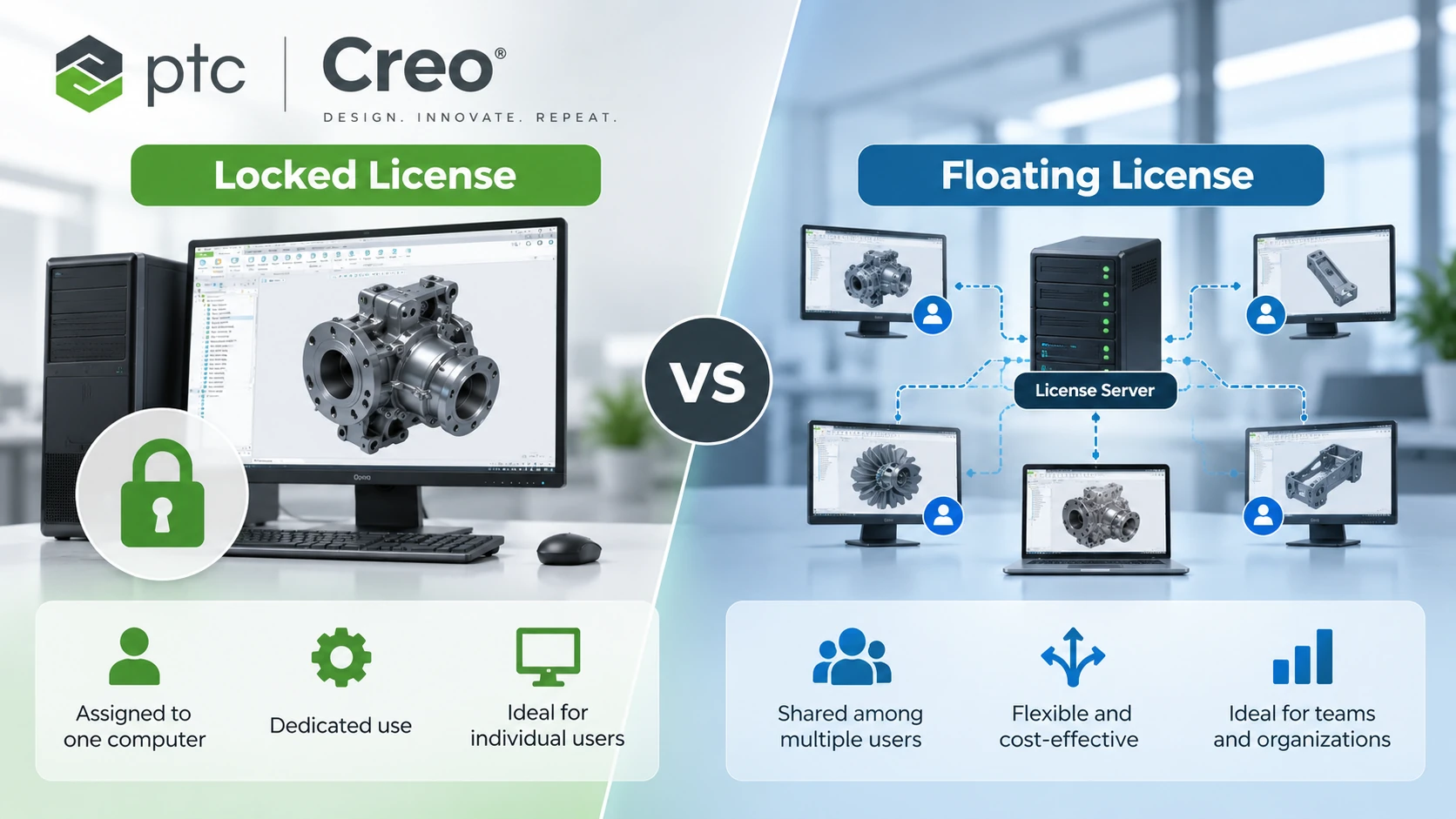
| Criteria | Creo Locked License | Creo Floating License |
|---|---|---|
| License assignment | Assigned to a designated computer | Available through a shared licensing environment |
| Typical users | Dedicated Creo users | Multiple users who may access Creo at different times |
| Concurrent usage | Based on the designated licensed computer | Limited by available concurrent license capacity |
| License management | Machine-specific | Centralized |
| License sharing | Not designed as a shared floating pool | Designed for shared access |
| Typical environment | Individual or dedicated CAD workstations | Engineering and R&D teams |
Which Creo License Is Right for Your Business?
There is no single PTC Creo licensing model that is appropriate
for every organization.
Businesses should evaluate how engineers actually use Creo before determining
the licensing configuration.
Consider a Creo Locked License When:
- Engineers use Creo regularly throughout the working day.
- Each engineer works from a dedicated workstation.
- The number of users is relatively stable.
- License sharing between employees is not required.
Consider a Creo Floating License When:
- Multiple engineers need access to Creo but do not use it simultaneously.
- Different departments use Creo at different times.
- Centralized license management is important.
- The organization has a larger engineering or R&D team.
- Creo usage changes depending on projects and workloads.
Example: Creo Licensing for an Engineering Team
Consider a manufacturing company with 20 engineers.
Not every engineer necessarily needs to use Creo at the same time.
If only 6 to 8 engineers typically require Creo concurrently, the company can evaluate
a Floating License configuration based on actual concurrent demand.
However, if most of the 20 engineers need Creo throughout the same working hours,
the required licensing capacity will be different.
This is why organizations should analyze real usage patterns before deciding
how many Creo licenses they need.
Creo Licensing Is More Than the Number of Users
Choosing a Creo license is not only about determining how many engineers
need access to the software.
Businesses also need to identify the Creo capabilities required by each engineering workflow.
Depending on the application, requirements may include:
- 3D parametric CAD design
- Large assembly design
- Sheet metal design
- Advanced surfacing
- Model-Based Definition (MBD)
- Simulation
- Generative Design
- Mold and die design
- CAM and CNC programming
An effective licensing strategy should therefore consider
user requirements, concurrent usage, engineering applications,
and required Creo capabilities.
How Much Does a PTC Creo License Cost?
The cost of a PTC Creo license can vary depending on the selected
package, extensions, licensing configuration, quantity, and deployment requirements.
For this reason, businesses should avoid planning their software investment based
only on a generic Creo price found online.
A more accurate approach is to define the engineering requirements first and then
request a licensing configuration and quotation based on actual business needs.
What Should Businesses Prepare Before Requesting a Creo Quote?
Before requesting a PTC Creo quotation, it is useful to identify:
- Total number of potential Creo users.
- Expected number of concurrent users.
- Primary applications such as CAD, mold design, CAM, simulation, or MBD.
- Number and location of engineering workstations.
- Current IT and license management environment.
- Expected growth of the engineering team.
Providing this information can help determine a Creo licensing configuration
that better matches the organization’s technical requirements.
PTC Creo Licensing for Businesses in Vietnam
CADCAM SOFTWARE supports businesses evaluating PTC Creo solutions for mechanical design,
product development, R&D, mold and die, CAD/CAM, simulation, and manufacturing applications.
Our team can work with your engineering organization to understand the number of users,
concurrent usage requirements, technical applications, and deployment environment
before determining an appropriate Creo configuration.
Learn more about
PTC Creo solutions from CADCAM SOFTWARE
or contact our team to discuss your requirements.
Frequently Asked Questions About Creo Licensing
What are the main Creo license types?
Locked License and Floating License are two important licensing approaches
used with Creo Parametric. The appropriate configuration depends on how
the organization intends to deploy and use Creo.
What is a Creo Floating License?
A Creo Floating License allows authorized users to access licenses from a shared
licensing environment, subject to the number of licenses available for concurrent use.
What is a Creo Locked License?
A Creo Locked License is restricted to the computer for which the license was created,
making it suitable for dedicated workstation environments.
What is the difference between Floating and Locked Creo licenses?
A Locked License is associated with a designated computer, while a Floating License
is designed to make available licenses accessible to multiple authorized users through
a shared licensing environment.
Do I need one Creo license for every engineer?
Not necessarily. The required licensing configuration depends on the selected license
model and how many engineers need to use Creo concurrently. Organizations should evaluate
actual usage before determining license quantities.
Is Creo Floating Licensing suitable for large engineering teams?
Floating licensing can be useful for larger engineering teams when users need access
to Creo at different times. The appropriate number of licenses should be determined
from expected concurrent usage and the organization’s deployment requirements.
What affects the cost of Creo licensing?
Creo licensing costs can depend on factors such as the selected package,
extensions, licensing configuration, quantity, and deployment requirements.
A quotation should therefore be based on the organization’s actual technical needs.
Get Advice on PTC Creo Licensing
If your organization is evaluating Creo Floating License,
Creo Locked License, or PTC Creo licensing for an engineering team,
contact CADCAM SOFTWARE to discuss your requirements.
CADCAM SOFTWARE CO., LTD
Hanoi Office:
No. 25, Alley 34, Giap Nhat Street, Thanh Xuan Ward, Hanoi, Vietnam
Ho Chi Minh City Office:
R.1508, Tower A, Masteri Centre Point, N2 Street, Long Binh Ward,
Ho Chi Minh City, Vietnam
Tel: 024 6673 7986
Hotline: 0906 621 818
Email: info@cadcamsoftware.vn
Website: cadcamsoftware.vn