Creo AI Assistant Advise: How It Helps Engineers Work in Creo
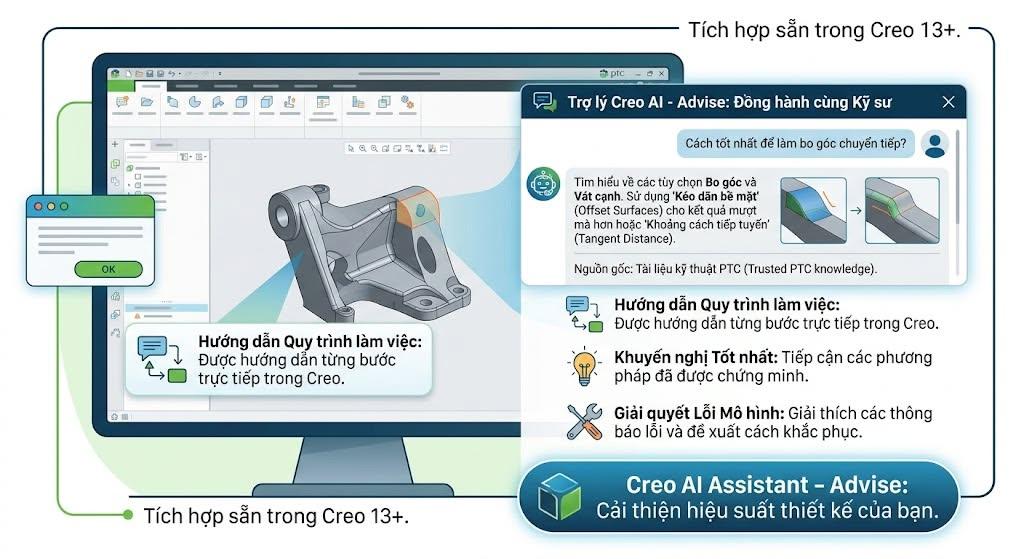 Creo AI Assistant Advise is an AI-powered guidance capability within PTC Creo that helps engineers locate relevant tools, understand modeling workflows, explore software options, and investigate common design issues. Instead of interrupting their work to search multiple help resources, engineers can ask questions in natural language and receive guidance directly within the supported Creo environment.
Introduced by PTC for Creo 13, Creo+, and subsequent supported versions, Advise combines large language model (LLM) technology with Retrieval-Augmented Generation (RAG). Its responses draw on Creo Help documentation and PTC knowledge base content. Advise is designed to guide engineers, rather than independently modify their 3D models or replace engineering judgment.

What Is Creo AI Assistant Advise?
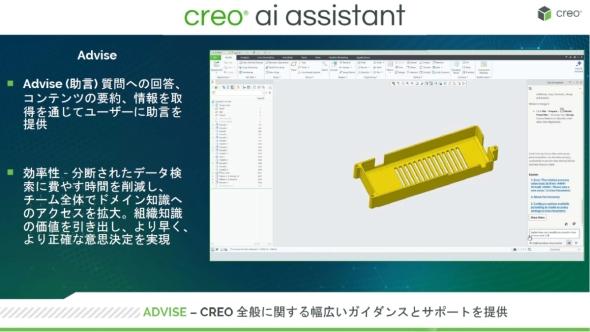
Advise is the first guidance-focused tier of Creo AI Assistant. It allows engineers to describe what they want to accomplish without necessarily knowing the exact command name or interface terminology.
For example, an engineer trying to improve a corner transition may ask how to modify a Round feature. Rather than requiring a precise keyword search, Advise can identify relevant Creo functionality, explain available options, and suggest an approach for the engineer to evaluate.
This makes Advise particularly relevant to teams using Creo Parametric for mechanical part modeling, assemblies, engineering drawings, and product development.
Core capabilities
- Tool discovery: Identifies functions relevant to a described design objective.
- Option clarification: Explains settings and alternative methods within Creo workflows.
- Workflow guidance: Provides instructions and established product practices.
- Knowledge retrieval: Uses Creo Help and PTC knowledge resources.
- Troubleshooting support: Explains common modeling errors and potential diagnostic steps.
- Conversational follow-ups: Supports further questions to clarify a specific operation.
How Does Creo AI Assistant Advise Work?
Creo Advise combines conversational AI with retrieval from trusted product resources. The large language model interprets the engineer’s question, while the RAG approach helps ground the response in relevant Creo documentation and knowledge base information.
Natural-language interaction
An engineer can describe a task in everyday language, such as creating a solid from a sketch, investigating feature regeneration, or understanding a simulation setup workflow. The user does not need to begin with an exact Creo menu name.
Retrieval-Augmented Generation
RAG supplements language generation with retrieved reference content. In Creo Advise, PTC identifies Creo Help and its product knowledge base as sources used to provide relevant engineering guidance.
Conceptually, the workflow is: user question → intent interpretation → retrieval of relevant Creo knowledge → conversational guidance → engineer validation and action.
5 Practical Use Cases for Creo AI Assistant Advise
1. Finding CAD Commands Without Knowing Their Names
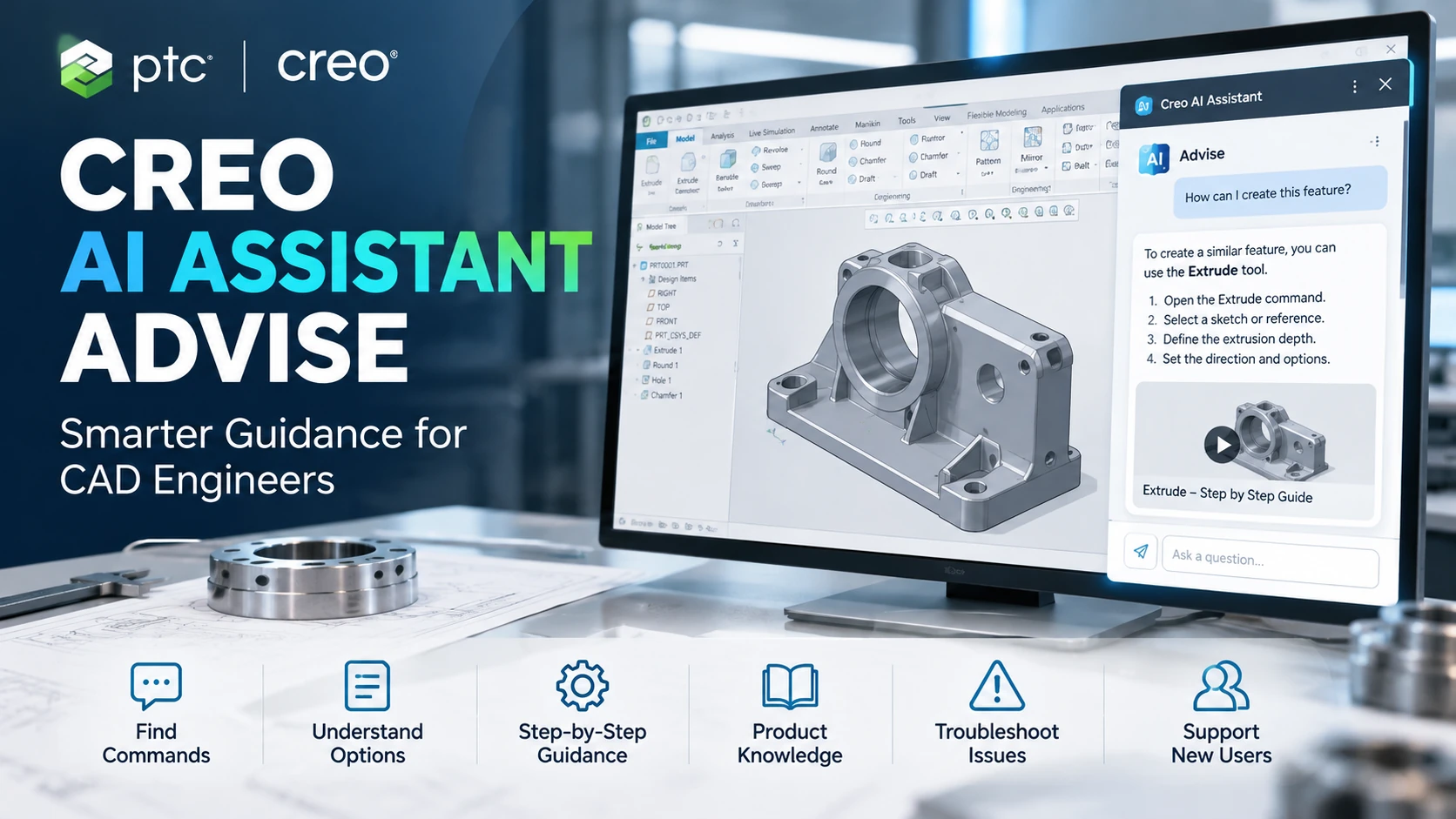
A designer may understand the desired geometric result without knowing which Creo tool to use. For example, a new user can ask how to create an Extrude feature from a sketch. Advise can outline available approaches and help the user find the relevant command.
This makes the assistant useful during onboarding and when returning to features that are rarely used.
2. Understanding Modeling Options
When working with blends, transitions, or rounded geometry, engineers often need to compare modeling methods. Advise can explain relevant functions and settings, helping users select an approach they can validate against the design requirements.
The final modeling strategy remains an engineering decision based on geometry, feature dependencies, and downstream manufacturing constraints.
3. Supporting New Creo Users
New engineers must learn sketches, features, references, assembly relationships, and model regeneration behavior. Advise can complement instructor-led training with contextual explanations available during everyday CAD work.
However, it should not replace structured training, company modeling standards, or supervised engineering practice.
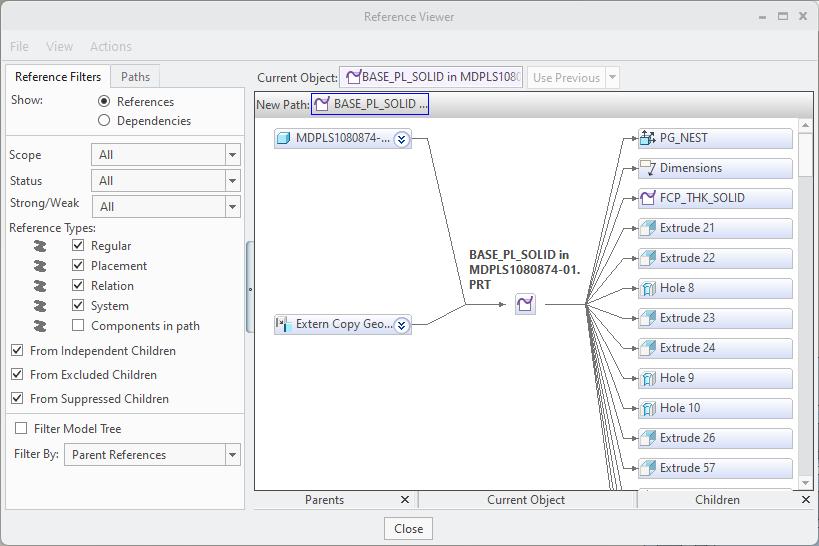
4. Investigating Circular Reference and Regeneration Errors
A circular reference occurs when feature dependencies form a loop. Such relationships can prevent the model from establishing a valid regeneration sequence.
PTC demonstrates how Advise can explain a circular reference error and recommend investigation steps, including reviewing feature dependencies, using Creo reference inspection tools, and reconsidering problematic feature references or ordering.
Engineers should identify the underlying dependency before making changes. Reordering or replacing features without reviewing design intent may introduce additional modeling issues.

5. Revisiting Less-Familiar Simulation Workflows
PTC also demonstrates a question about setting up Creo Flow Analysis. Advise provides a conversational overview of project setup, physics configuration, boundary conditions, mesh generation, and result processing.
This can help experienced engineers refresh their understanding of an infrequent workflow. It does not remove the need for validated assumptions, appropriate boundary conditions, mesh assessment, or expert interpretation of simulation results.
How Can Creo Advise Benefit Engineering Teams?
| Engineering scenario | Potential benefit | Required control |
|---|---|---|
| New employee onboarding | Convenient access to task-oriented guidance | Structured training and supervision |
| Infrequent CAD operations | Less interruption when looking up unfamiliar methods | Version-specific verification |
| Feature regeneration issues | Better understanding of possible causes | Engineering validation of corrections |
| Cross-functional CAD and CAE work | Access to unfamiliar product knowledge | Specialist review where necessary |
| Internal knowledge sharing | Additional support for common workflow questions | Alignment with company standards |
The actual value depends on the engineering team’s maturity, the types of design tasks performed, software availability, and internal practices. Organizations should validate improvements through their own evaluation rather than assuming a particular time-saving percentage or ROI.
How Is Creo Advise Different from General-Purpose AI Chatbots?
Advise is positioned as product-specific, in-workflow assistance. Its retrieval approach draws on trusted Creo resources, which is a meaningful distinction from using a general chatbot without equivalent product-specific retrieval or integration.
| Capability | Creo Advise | General-purpose chatbot |
|---|---|---|
| Primary domain | Creo software and related engineering workflows | Broad, multi-domain knowledge |
| Retrieval sources | PTC Creo Help and knowledge resources | Depends on provider and configuration |
| Interaction location | Within supported Creo environments | Often a separate interface |
| Current model awareness | Advise is described as model-agnostic | Not available without suitable integration |
| Direct geometry modification | Not an Advise capability | Not inherent to general chatbots |
Choosing an AI tool for engineering should involve evaluating information quality, product-version relevance, integration requirements, and data governance rather than relying on conversational fluency alone.
Explore PTC Creo for Your Engineering Workflow
Assess your design environment, team training requirements, and frequently repeated knowledge-search tasks before choosing a Creo configuration.
Advise vs Assist vs Automate in the Creo AI Roadmap
PTC describes a progression from product guidance toward model-aware intelligence and more advanced engineering automation.
| AI tier | Intended role | Important distinction |
|---|---|---|
| Advise | Conversational product guidance using trusted Creo information | Model-agnostic guidance |
| Assist | Model-aware insights and interaction with product data | Availability must be verified separately |
| Automate | Advanced design and analysis activities with engineer oversight | Do not assume general availability in every license |
It is important to distinguish the documented Advise functionality from PTC’s roadmap for higher AI capability tiers. For a broader industrial perspective, read AI at PTC: Artificial Intelligence Across the Product Lifecycle.
How Should Companies Evaluate Creo AI Assistant Advise?
Step 1: Identify High-Value Questions
Gather recurring questions from CAD users, such as command discovery, feature modeling, regeneration diagnostics, and seldom-used engineering workflows.
Step 2: Verify Software and Access Requirements
Confirm whether the relevant Creo 13, Creo+, or later deployment supports Advise. Review entitlement, availability, connectivity requirements, and current PTC terms before planning a rollout.
Step 3: Build a Representative Evaluation Set
Test questions covering Extrude creation, circular references, feature dependencies, and applicable simulation workflows. Include questions from both junior and senior users.
Step 4: Validate Engineering Accuracy
Have experienced engineers evaluate whether the guidance is correct, applicable to the installed version, and consistent with company modeling standards.
Step 5: Establish Usage Guidelines
Define when users may rely on Advise as a reference, when official documentation is required, and when an issue must be escalated to an engineering specialist.
Limitations and Engineering Considerations
- AI responses can be inaccurate: RAG improves grounding but does not guarantee correctness.
- Advise does not validate a CAD model: Guidance must not be confused with geometric, structural, or manufacturability verification.
- Feature availability varies: Advise, Assist, and Automate must not be treated as identical capabilities.
- Data governance matters: Organizations should review PTC’s current security, data-processing, and usage terms before entering sensitive project information.
- Engineering context remains essential: A suggested workflow may need adaptation to the actual design intent and product requirements.
Frequently Asked Questions About Creo AI Assistant Advise
1. What is Creo AI Assistant Advise?
Creo AI Assistant Advise is an AI-powered guidance capability that provides natural-language help for tools, modeling workflows, and technical questions within supported Creo environments.
2. Which Creo versions support Advise?
PTC introduces Advise for Creo 13, Creo+, and subsequent supported versions. Specific deployment and entitlement requirements should be verified with PTC.
3. Can Creo Advise automatically modify 3D geometry?
No. Advise focuses on guidance rather than direct model modification. PTC describes Assist and Automate as separate, more advanced capability tiers.
4. Can Advise help with circular reference errors?
It can explain possible causes and recommend steps for reviewing feature dependencies and references. Engineers remain responsible for validating and applying changes.
5. How is Advise different from ChatGPT?
Advise is designed for Creo workflows and uses RAG with PTC product resources. General-purpose chatbots vary in retrieval capabilities and CAD integration.
6. Does Advise replace CAD training?
No. It supplements learning and knowledge retrieval but does not replace practical training, engineering standards, or specialist supervision.
7. Does RAG eliminate AI hallucinations?
No. RAG can make responses better grounded in relevant documentation, but important engineering guidance still requires verification.
8. Where can a company request Creo consultation?
Companies can contact CADCAM SOFTWARE to discuss Creo versions, engineering requirements, and the AI capabilities they wish to evaluate.
Conclusion: Bringing Trusted Creo Knowledge Closer to Engineers
Creo AI Assistant Advise represents a practical direction for AI in CAD: helping engineers access relevant product knowledge without repeatedly interrupting the design process. Its value lies in making guidance more accessible, not replacing expert decisions or automating geometry changes.
For organizations evaluating Creo 13 or modernizing their CAD environment, Advise should be considered alongside software configuration, engineering standards, training requirements, and data governance.
Request a PTC Creo Consultation or Demo
Contact CADCAM SOFTWARE to discuss your 3D CAD workflow, user training needs, and suitable Creo configurations.
Hotline: 0907 858 000 | Email: info@cadcamsoftware.vn
Reference: PTC – Design Smarter, Search Less with Creo AI Assistant Advise, October 21, 2026.