What Is PLM? Why Product Lifecycle Management Matters in Manufacturing
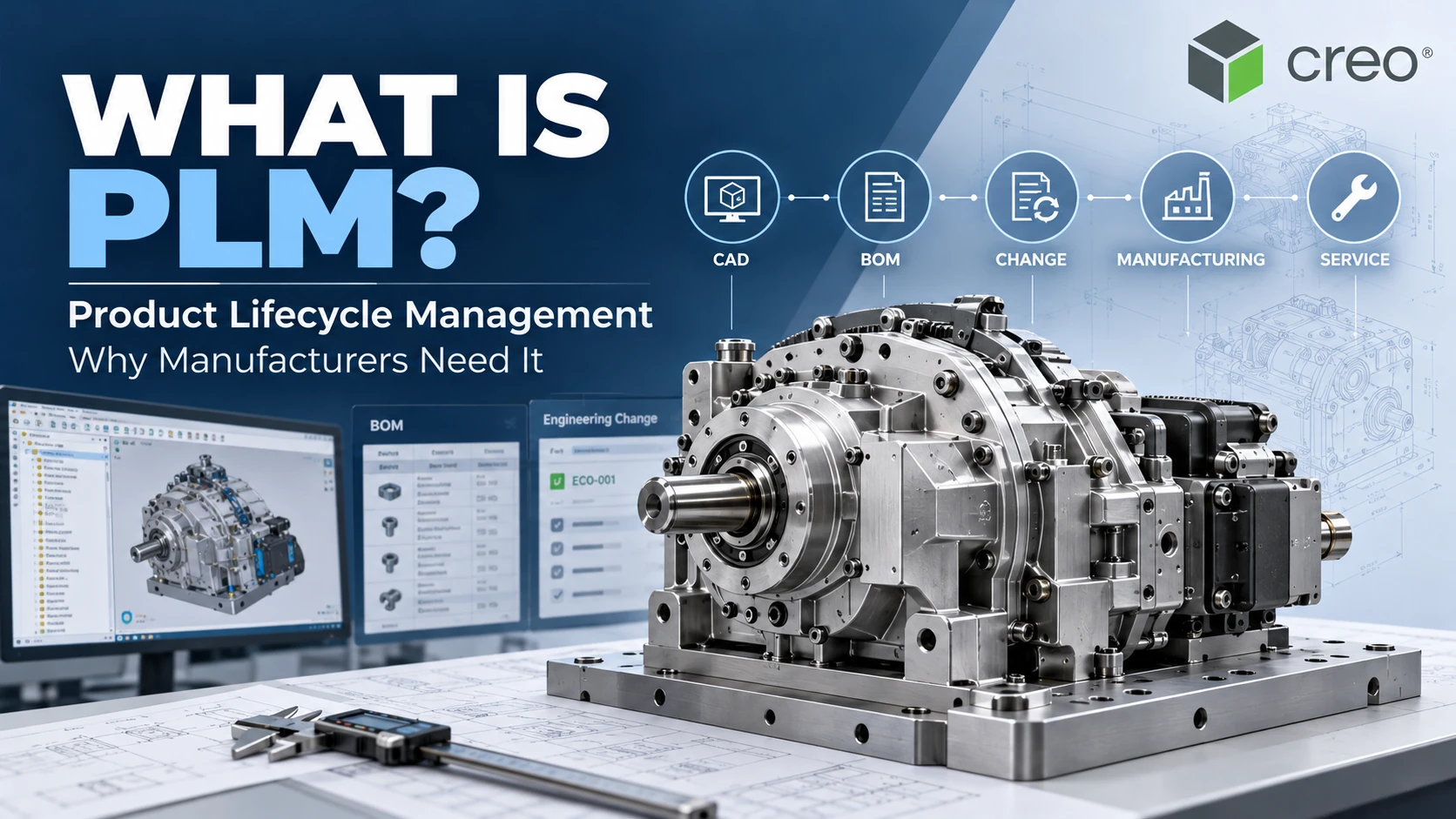
 Product Lifecycle Management (PLM) is the discipline of managing product information, people and processes throughout a product’s lifecycle, from initial requirements and engineering design to manufacturing, service and retirement. In manufacturing organizations, PLM systems help govern CAD data, product structures, Bills of Materials (BOMs), revisions, configurations and engineering changes in a controlled environment.
As products become more complex, manufacturers must coordinate information across engineering, purchasing, production, quality and service. Managing CAD files in disconnected folders and maintaining BOMs in separate spreadsheets can introduce revision conflicts and inconsistent product definitions. PLM establishes controlled product information and workflows so teams can work with the appropriate approved data rather than relying on fragmented records.

What Is PLM in Manufacturing?
PLM is an organizational approach supported by software for governing product definitions, related information and changes across the product lifecycle. A PLM platform can manage the relationships between parts, assemblies, CAD documents, engineering specifications, configurations, revisions and approval workflows.
Unlike ordinary file storage, PLM provides the context around a design. Engineers can identify the revision of a part, its parent assemblies, related technical documents, product configurations and the release status relevant to downstream users.
For example, a manufacturer may need to modify a drive shaft in a mechanical assembly. The engineering change can affect bearings, purchased components, the BOM, manufacturing drawings and machining operations. PLM helps teams govern these dependencies and release changes in a coordinated way.
Which Stages of the Product Lifecycle Does PLM Support?
1. Concept and Requirements
Teams define customer needs, product requirements, functional expectations and technical constraints. With suitable tools and integrations, requirements can be connected to design and verification records.
2. Design and Engineering
Engineers develop CAD models, drawings, assemblies, simulation data and engineering product structures. PDM and PLM capabilities support revision control, data relationships and lifecycle approval states.
3. Manufacturing Preparation
Approved engineering product definitions support manufacturing BOMs, process planning, tooling preparation and work instructions. These data transformations must preserve the relationship with the released engineering definition.
4. Production and Quality
Production and quality teams use controlled product data and report issues requiring engineering review. Depending on the enterprise architecture, PLM may exchange information with ERP, MES and quality management platforms.
5. Service and End of Life
Product configurations, service documents, spare parts and technical changes may continue to be managed throughout maintenance, product retirement and replacement.
These five stages represent an engineering-oriented PLM workflow, not the separate commercial product life cycle stages commonly used in marketing.
7 Reasons Manufacturers Need Product Lifecycle Management
1. Maintain Revision and Release Control
PLM helps distinguish work-in-progress engineering information from approved product data. Controlled lifecycle states reduce the risk of downstream teams working from an outdated drawing or BOM.
2. Govern Bills of Materials
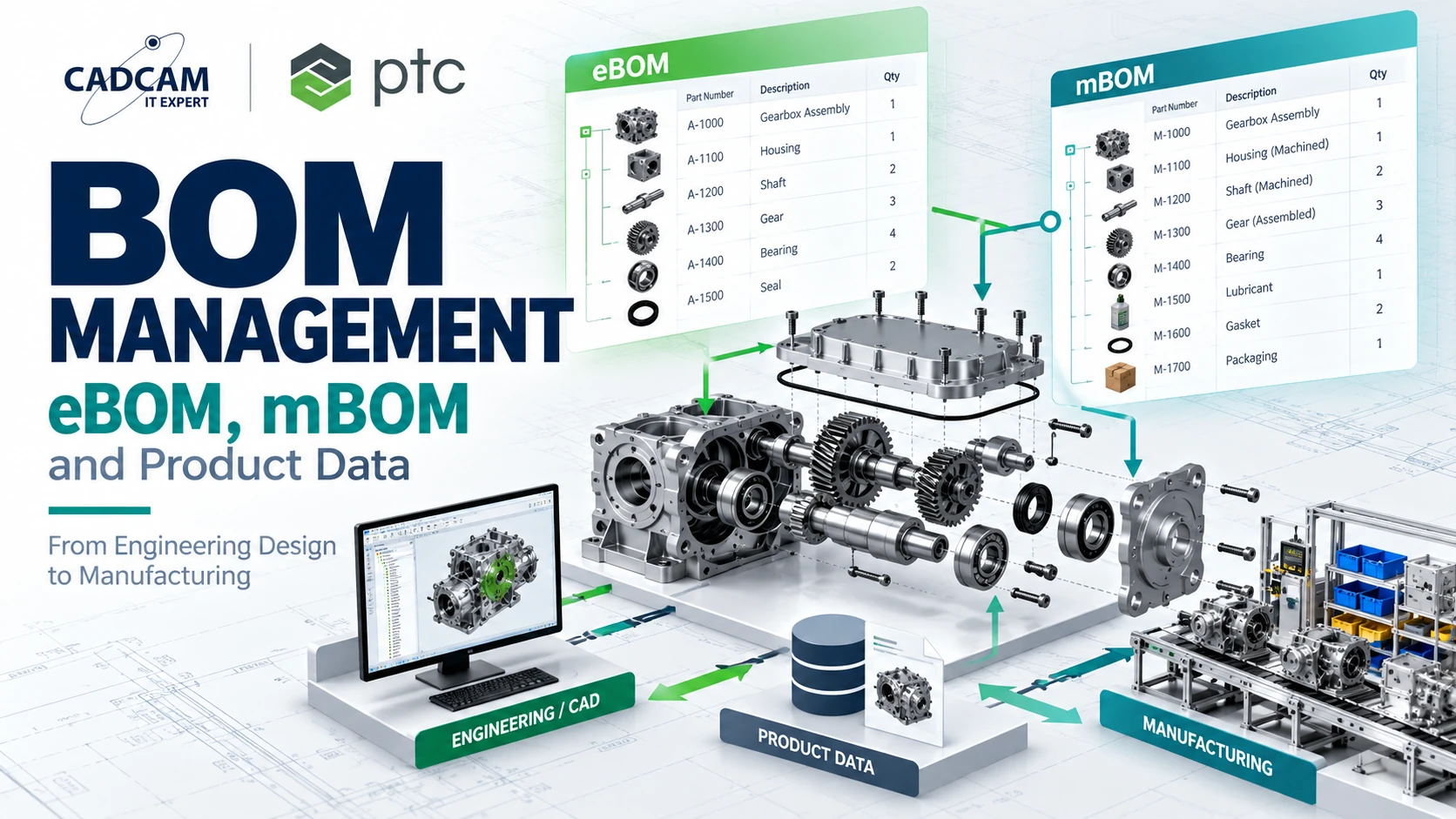
PLM manages part and assembly relationships and supports engineering product structures. An engineering BOM describes the design structure, while a manufacturing BOM organizes information for production and assembly. An integrated process helps maintain traceability between them.
3. Manage Engineering Changes
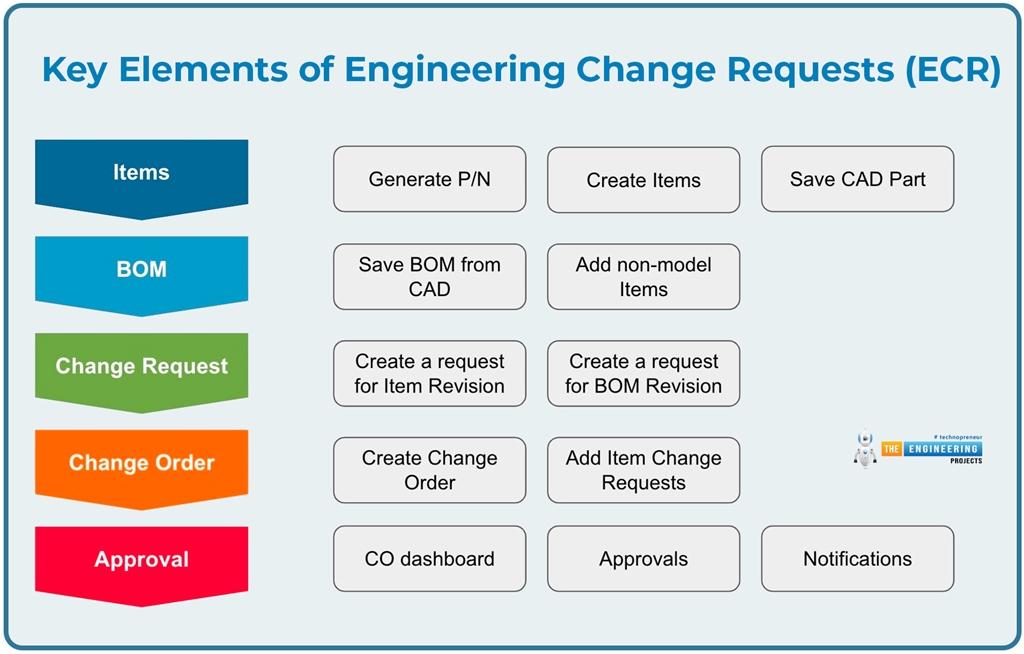
Changes to design geometry or specifications can affect purchasing, manufacturing and service. Engineering Change Management provides a structured process for requests, impact analysis, approvals and controlled release of updated information.
4. Improve Cross-Functional Collaboration
Product development involves multiple teams with different responsibilities. PLM helps provide appropriate product information through governed access and shared processes.
5. Support Part Reuse and Standardization
Part numbering, classification and searchable product data help engineers discover existing components before creating additional designs. Actual capabilities depend on the implementation.
6. Increase Traceability
Revision histories, approvals, configuration relationships and affected-object records make it easier to investigate changes, support quality reviews and retrieve engineering decisions.
7. Establish a Digital Thread Foundation
By connecting product information across engineering and downstream processes, PLM provides an important foundation for the digital thread, enabling traceability between related information in different lifecycle stages and systems.
What Product Data Does PLM Manage?
| Data domain | Examples | Management purpose |
|---|---|---|
| Engineering Data | CAD models, drawings, specifications | Revision and release control |
| Product Structure | Parts, assemblies, eBOM | Product definition governance |
| Engineering Change | ECR, ECO, ECN, approvals | Controlled and traceable changes |
| Configuration | Variants, effectivity, baselines | Product configuration control |
| Manufacturing | mBOM, process plans, work instructions | Engineering-to-manufacturing alignment |
| Quality and Service | Issues, service documents | Lifecycle traceability |
Not every PLM deployment includes every capability. The actual scope depends on the platform, licensed modules, integrations and organizational processes.
PLM vs PDM vs ERP vs MES: What Is the Difference?
| System | Primary purpose | Typical information |
|---|---|---|
| PDM | Engineering file and CAD data management | Check-in, revisions, documents |
| PLM | Product definition and lifecycle process governance | BOMs, configurations, engineering changes |
| ERP | Business resource planning and transactions | Purchasing, inventory, financial and planning data |
| MES | Manufacturing execution management | Production operations and shop-floor records |
PDM is often a foundational capability within a broader PLM platform. PLM and ERP serve different but complementary purposes: PLM typically governs engineering product definitions and controlled changes, while ERP manages transactional and operational information. Organizations need to agree on the system of record for each data category.
Practical Example: Managing a Mechanical Engineering Change
Consider an industrial machinery manufacturer that needs to increase the load capacity of a drive assembly by changing a shaft diameter and bearing selection. This is an illustrative scenario, not a documented customer implementation.
The change may affect CAD models, machining drawings, purchased parts, dimensional tolerances, CNC programs, assembly instructions and the released BOM.
Without coordinated revision management, purchasing or production might continue using the older design. A structured PLM process can connect the engineering request with impact analysis, approvals, revised product data and release to downstream operations.
Illustrative workflow: Engineering Change Request → Impact Analysis → Approval → CAD/BOM Update → Release → Manufacturing/ERP Handoff.
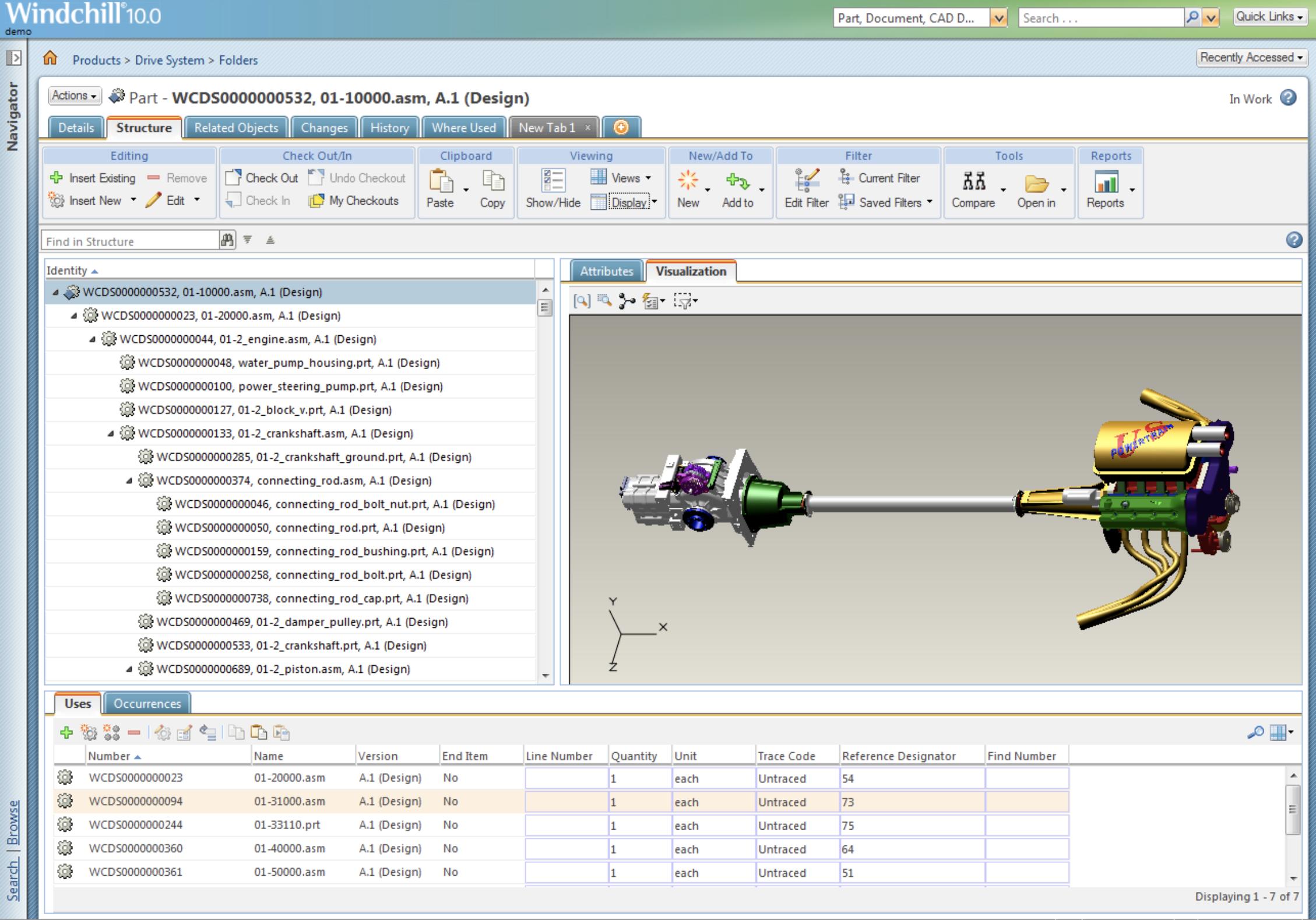

How Do PTC Creo and Windchill Support PLM?
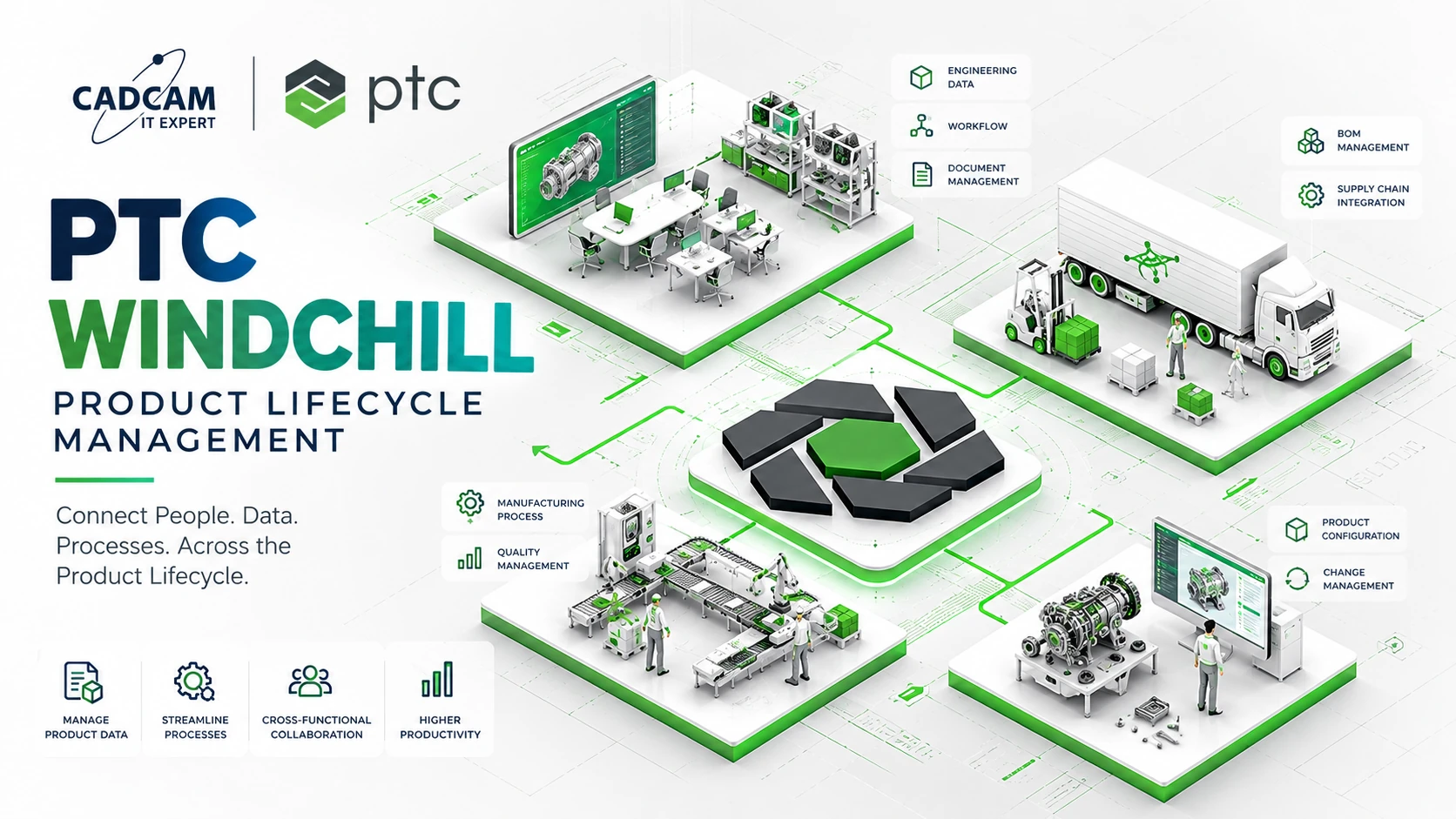
PTC Creo is an engineering CAD environment used to develop product geometry, assemblies and drawings. PTC Windchill is an enterprise PLM platform designed to govern product data, structures, configurations, revisions and engineering change processes.
With appropriate integration and configuration, engineering data produced in Creo can be managed within Windchill. This supports controlled product information across engineering and related business functions.
Windchill also provides multi-CAD capabilities, supporting manufacturers that work with engineering data from several CAD systems.
For detailed product capabilities, visit PTC Windchill PLM Software.
Review Your Engineering Data Management Requirements
If your organization struggles with CAD revisions, disconnected BOMs or uncontrolled engineering changes, a focused assessment can help define an appropriate PLM implementation scope.
Which Manufacturers Should Consider PLM?
PLM is especially relevant when organizations manage complex assemblies, multiple product variants, engineering changes or collaboration across design, manufacturing, purchasing and quality departments.
Warning signs include difficulty identifying the latest approved revision, inconsistent BOM data, duplicate part records, unclear release responsibilities and limited change traceability.
For smaller companies with relatively simple engineering processes, implementing structured PDM first may be a practical foundation before expanding into broader PLM.
6 Steps to Implement PLM in Manufacturing
Step 1. Assess Current Systems and Data
Document the CAD applications, file repositories, BOMs, ERP environment, engineering roles and existing data exchange processes.
Step 2. Define Priority Use Cases
Choose a focused business problem such as CAD revision management, eBOM governance or engineering change approval.
Step 3. Standardize Data Governance
Define part numbering, naming conventions, revision rules, release states, permissions and approval responsibilities.
Step 4. Select a Controlled Pilot
Choose a representative product or engineering process that can be used to validate the complete workflow.
Step 5. Configure, Integrate and Train
Implement user roles, workflows, required CAD/ERP integrations and appropriate training based on actual job responsibilities.
Step 6. Review and Expand
Once the initial process is stable, expand into manufacturing BOM management, configuration governance, quality or manufacturing process management as needed.
Common PLM Implementation Mistakes
- Inconsistent source data: Duplicate part numbers, incomplete BOMs and conflicting naming conventions.
- Undefined governance: Users lack clear responsibilities for modifying or releasing product data.
- PLM and ERP ownership conflicts: Multiple systems independently modify the same data attributes.
- Overly broad pilots: Too many new workflows and roles are introduced simultaneously.
- Uncontrolled migration: Legacy data quality problems are carried into the new system.
Frequently Asked Questions About PLM
1. What does PLM stand for?
PLM stands for Product Lifecycle Management.
2. What is PLM software used for?
PLM software helps govern product data, BOMs, revisions, configurations, changes and cross-functional lifecycle workflows.
3. Does PLM replace ERP?
No. PLM primarily governs product definitions and changes, while ERP handles planning, purchasing, inventory and business transactions.
4. How is PDM different from PLM?
PDM focuses on engineering and CAD data. PLM extends into product structures, configurations, changes and lifecycle processes.
5. Do small manufacturers need PLM?
It depends on product complexity and governance needs. Some companies can start with PDM and expand later.
6. How does PLM manage BOMs?
PLM manages parts, assemblies and revisions of product structures, with support for eBOM and mBOM alignment where implemented.
7. Is Windchill a PLM platform?
Yes. PTC Windchill supports product data management, BOMs, configurations and engineering change workflows.
8. Where should a PLM implementation start?
Start by assessing existing data, identifying a priority use case, defining governance and validating a manageable pilot.
Conclusion: PLM Creates a Governed Product Information Foundation
Product Lifecycle Management is more than storing CAD files. It provides the governance and software capabilities needed to manage product definitions and changes across engineering, manufacturing and related business operations.
Manufacturers should select their PLM scope based on product complexity, data quality, process maturity and organizational readiness rather than deploying every available function at once.
Request PTC Windchill PLM Consultation or Demo
Contact CADCAM SOFTWARE to discuss CAD data governance, BOM management, engineering change processes and suitable Windchill solutions.
Request PLM Consultation / Demo / Quotation
Hotline: 0907 858 000 | Email: info@cadcamsoftware.vn
References: PTC – What Is PLM? and PTC Windchill.