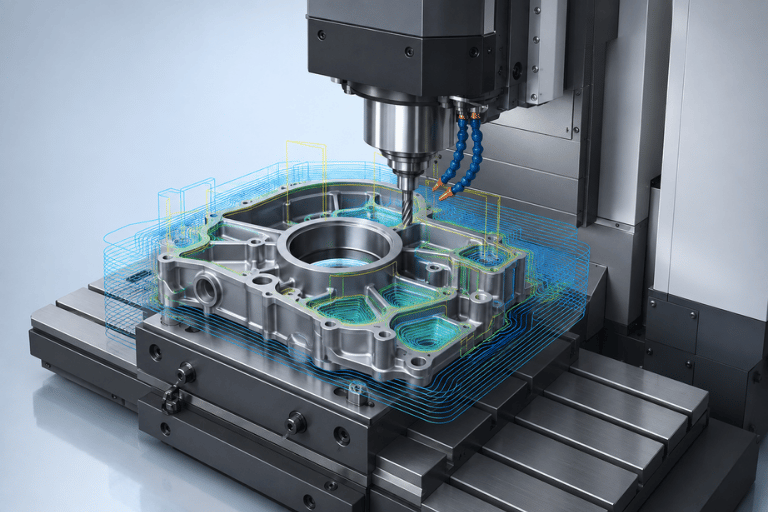
PTC CREO CAM – INTEGRATED CNC PROGRAMMING & MACHINING

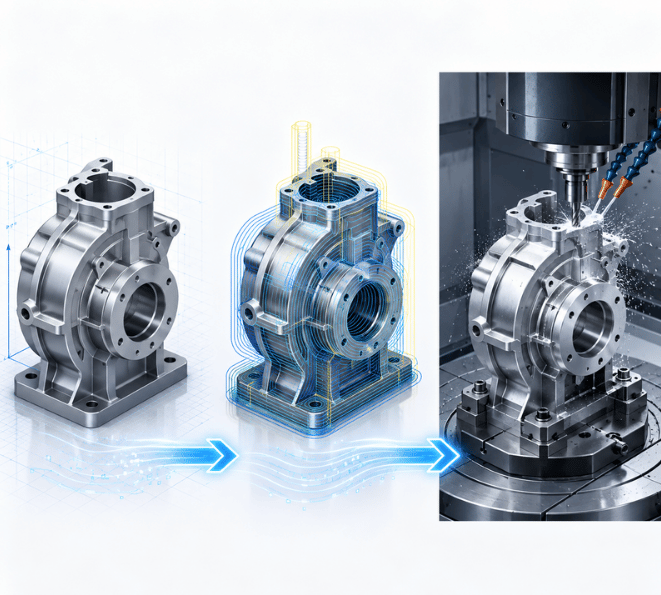
Creo CAM integrates CAD and CAM within the PTC Creo environment, enabling manufacturers to create toolpaths, program CNC machines, and support 3–5 axis machining directly from 3D product models.
EXPLORE CREO CAM→

PTC CREO CAM – INTEGRATED CNC PROGRAMMING & MACHINING

Creo CAM integrates CAD and CAM within the PTC Creo environment, enabling manufacturers to create toolpaths, program CNC machines, and support 3–5 axis machining directly from 3D product models.
Nhận báo giá bản quyền →

What is CREO CAM?​

CREO CAM is a CNC machine tool programming solution within the comprehensive PTC Creo product development ecosystem. Unlike standalone CAM software, CREO CAM leverages Seamless CAD/CAM Integration, enabling design and manufacturing teams to work within a unified environment.

Core Capabilities of CREO CAM

  • No File Translation Required: Program directly from native Creo Parametric geometry, eliminating geometry translation issues such as missing surfaces or corrupted geometry commonly associated with IGES/STEP data exchange.
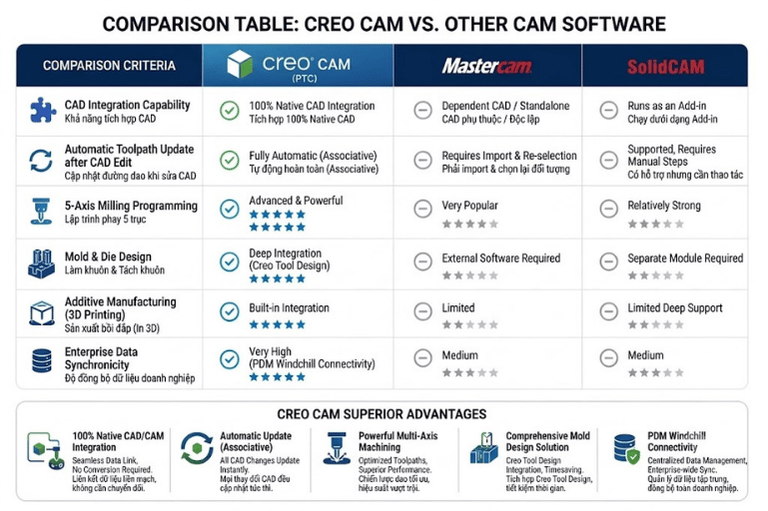
  • Design-to-Manufacturing Associativity: When the R&D or design team modifies part geometry or dimensions, associated CREO CAM toolpaths can be automatically regenerated to reflect the latest design changes.
  • Comprehensive Machining Capabilities: Supports a wide range of manufacturing processes, including 2.5-axis to 5-axis milling, turning, sheet metal manufacturing, and additive manufacturing.

Why Should Manufacturers Choose CREO CAM?​

Sudden design modifications and tight production lead times are among the leading challenges facing CNC machine shops and manufacturing facilities. CREO CAM thoroughly resolves these critical operational pain points:

💥 Frequent design changes forcing complete NC reprogramming from scratch?

Solution: With full CAD/CAM associativity, CREO CAM automatically regenerates and updates toolpaths based on modified CAD geometry, reducing rework and adjustment time by up to 80%.

💥 Tool crashes and machine damage caused by the lack of realistic simulation?

Solution: Integrated in-process stock, workholding/fixture, and full 3D CNC machine simulation enables comprehensive collision detection and gouge checking prior to G-code post-processing.

💥 Lengthy engineering onboarding and training cycles due to disparate, fragmented software systems?

Solution: Standardize the end-to-end workflow within a unified environment: Product Design ➔ Mold & Tooling Design ➔ CNC Programming.

💥 Non-standardized machining practices and heavy reliance on individual operator skill?

Solution: Establish a Knowledge-Based Machining (KBM) template library to capture manufacturing best practices and reuse proven machining processes across future projects.

CREO CAM Solution Packages

PTC provides multiple CREO CAM solutions to support different CNC machine capabilities and manufacturing requirements.

CREO Production Machining

Designed for 3-axis milling and standard turning applications, with capabilities for roughing, finishing, and high-speed machining.
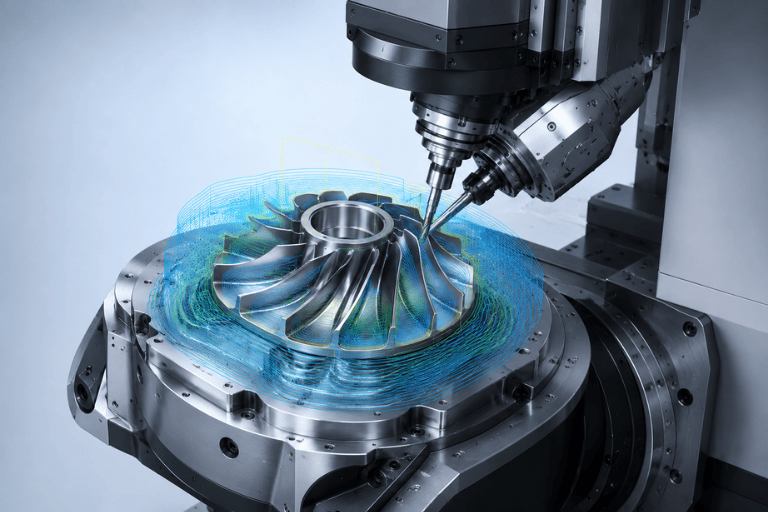
CREO Complete Machining

A comprehensive solution for advanced manufacturing, supporting 4-axis and 5-axis positioning and simultaneous machining, Mill-Turn, and Wire EDM.
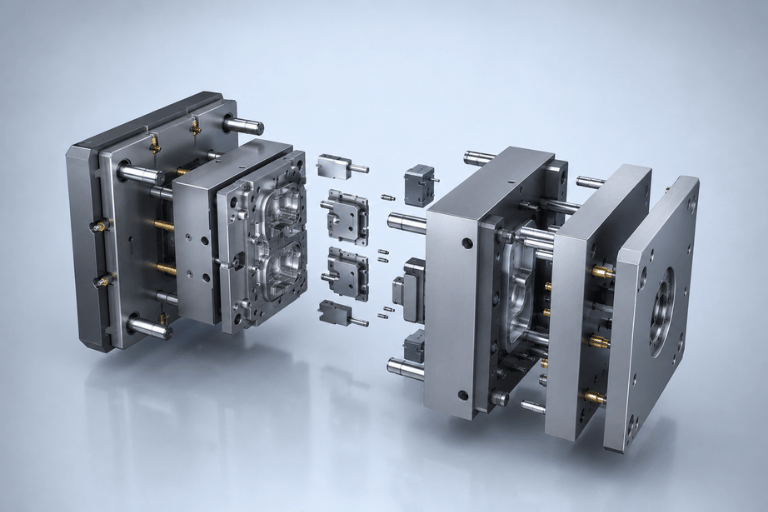
CREO Tool Design

Tools for mold and tooling engineers, including Core & Cavity design, parting surfaces, and mold development.
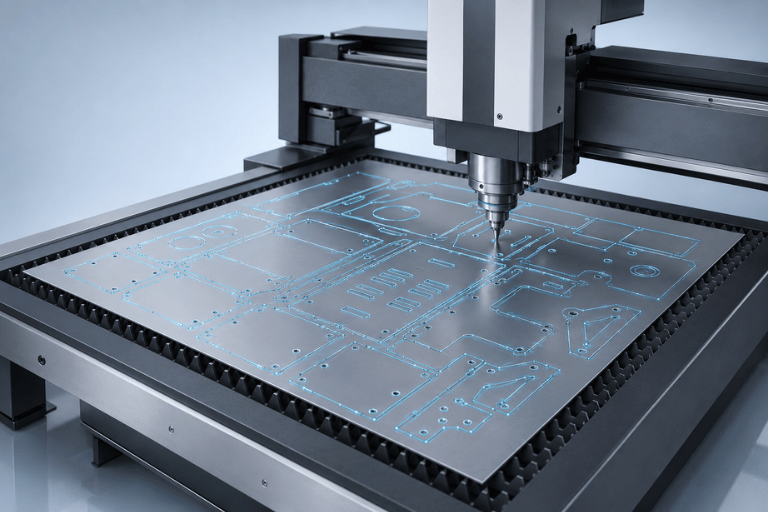
CREO NC Sheetmetal

NC programming for CNC punching, laser cutting, plasma cutting, and waterjet cutting of sheet metal components.
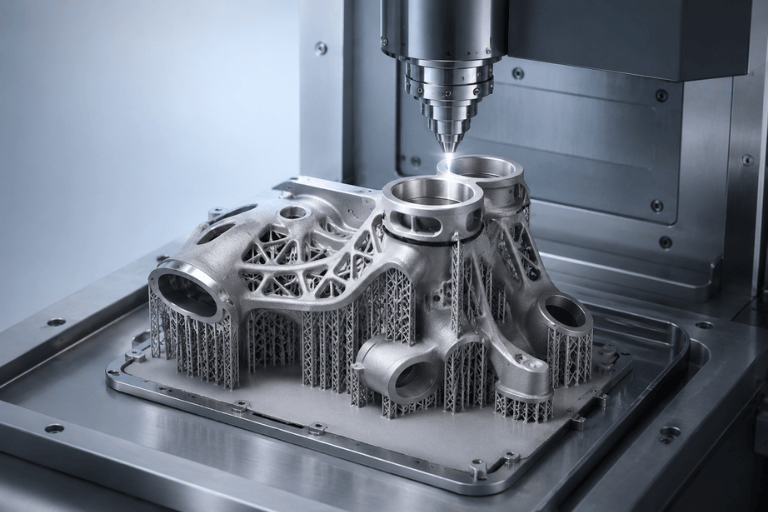
CREO Additive Manufacturing

Supports build preparation for industrial additive manufacturing, including metal and polymer applications and support structure preparation.
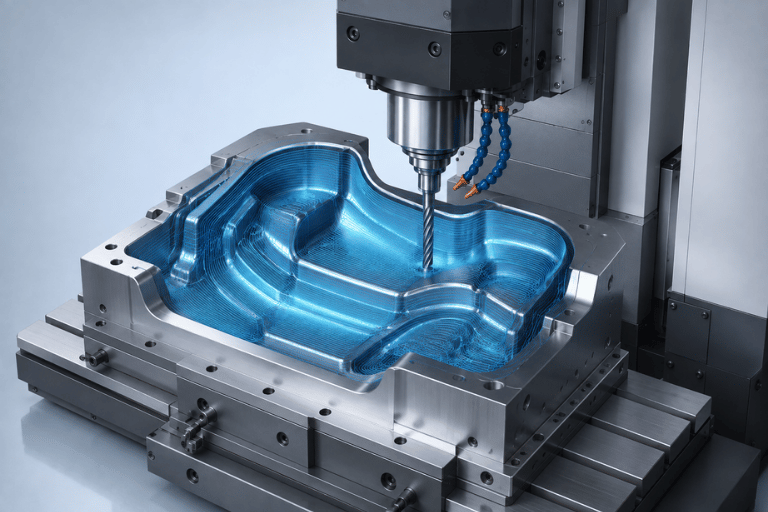
CREO Prismatic and Multi Surface Milling

Advanced milling capabilities for complex 3D surfaces, deep cavities, and prismatic components.
What Machining Processes Does CREO CAM Support?

CNC Milling — 2.5 to 3 Axis

Supports roughing, high-speed machining, and precision finishing of complex surfaces.

Multi-Axis Machining — 4 to 5 Axis

Supports 5-axis positioning and simultaneous machining for complex components requiring flexible tool-axis control.

CNC Turning & Mill-Turn

Supports facing, OD/ID turning, threading, drilling, and combined milling/turning operations.

Mold Machining

Supports machining strategies for deep cavities, complex mold surfaces, and Rest Machining.

Sheet Metal & Wire EDM

Supports sheet metal cutting operations, nesting, and 2–4 axis Wire EDM programming.

Additive Manufacturing

Supports build preparation, part positioning, and support structure generation for industrial additive manufacturing

Key Features of CREO CAM

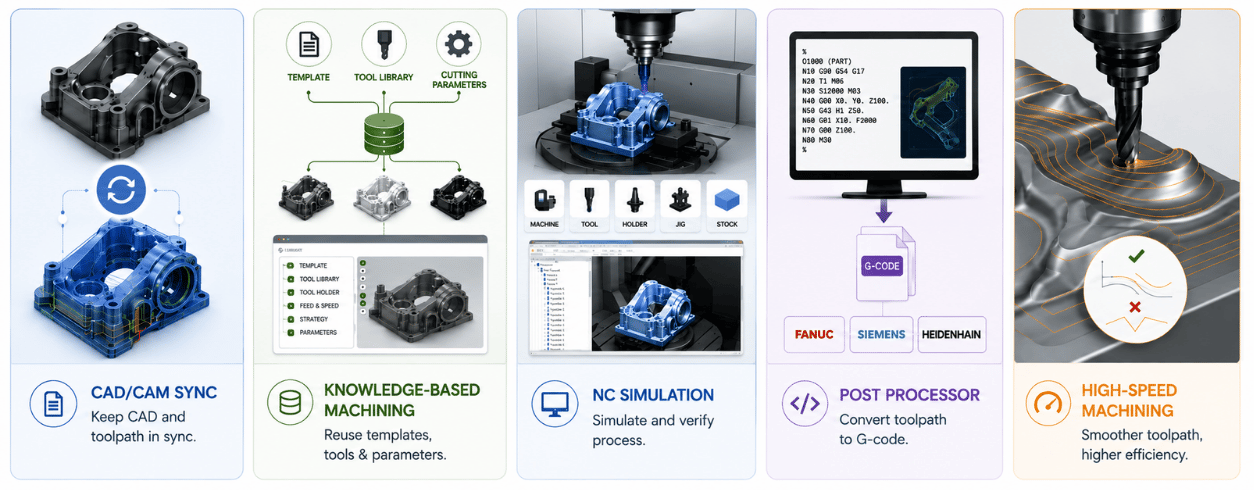
Associative CAD/CAM

Toolpaths remain associated with CAD geometry. Changes to dimensions, fillets, holes, or other design features can be reflected in the CAM environment.

Knowledge-Based Machining

Capture and reuse standardized machining processes, cutting parameters, and toolpath strategies for similar components.

NC Simulation & Collision Detection

Simulate material removal and check potential collisions between the cutting tool, tool holder, fixture, workpiece, and CNC machine components.

Post Processor Support

Generate machine-specific NC programs using configurable Post Processors for common CNC controllers, including FANUC, Siemens, HEIDENHAIN, Haas, Mazak, and Mitsubishi.

High-Speed Machining

Generate smooth toolpaths designed to maintain more consistent cutting conditions and reduce abrupt tool movements.

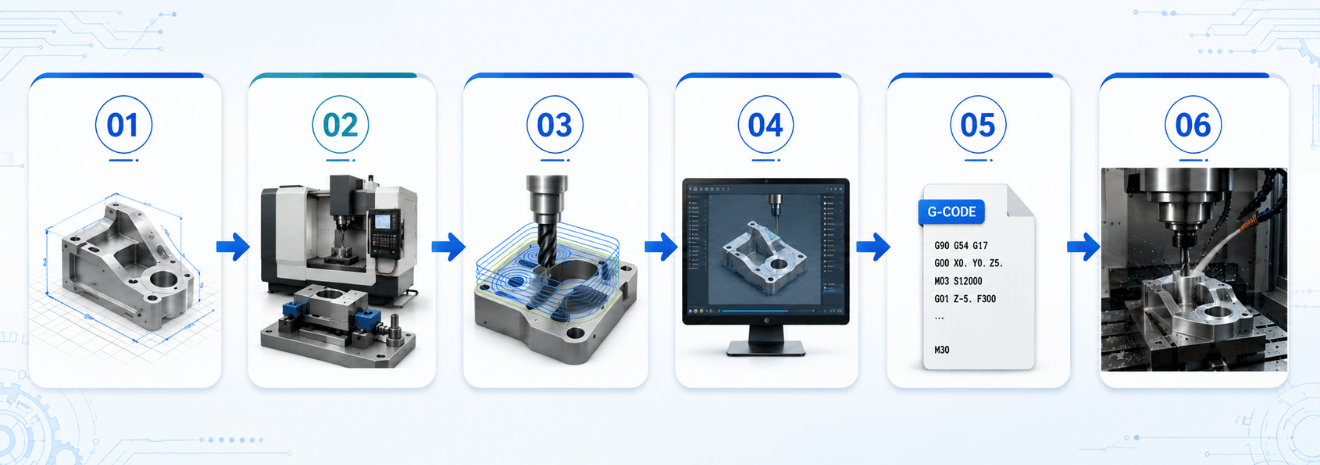
Standard CNC Programming Workflow with CREO CAM​

01. Prepare the CAD Model
Import or create the 3D part directly in Creo Parametric.

02. Set Up the Machining Environment
Select the CNC machine, define the Workpiece Coordinate System, stock, and fixtures.

03. Generate Toolpaths
Define milling or turning operations, cutting tools, cutting speed, feed rate, and machining strategies.

04. Simulate & Verify
Run NC simulation to identify gouging, tool collisions, and undesirable machine movements.

05. Generate G-Code
Use the appropriate Post Processor to convert toolpaths into machine-specific G-code/M-code.

06. Transfer to Production
Transfer the NC program to the CNC machine through the DNC/network environment for production machining

CREO CAM Applications by Industry​

Request a Consultation & Software Quote

Frequently Asked Questions (FAQ)

Yes. CREO Complete Machining supports both 5-axis positioning and simultaneous 5-axis machining strategies.

A complete CAD package is not necessarily required. However, CREO CAM operates on the Creo Parametric platform and includes capabilities for reading and preparing 3D models for manufacturing.

Yes. CREO CAM can generate machine-specific G-code through configurable Post Processors for commonly used CNC controllers, including FANUC, Siemens, HEIDENHAIN, Mitsubishi, Mazak, and Haas.